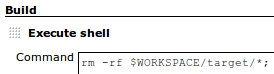
In order to clean/delete the workspace before the build, “Add Build Step”, select “Execute Shell”, and use Hudson $WORKSPACE variable to delete the target directory:
rm -rf $WORKSPACE/target/* |
Here is what it will look like:
built-in support is on the way: HUDSON-3966